Path of Exile 2 trade tools

Trade searches, without the busywork.

POE TradeUX is a Chrome extension that enhances the official Path of Exile 2 trade interface with faster filters, item presets, stat tools, and optional layout improvements. It works with the site's native trade form instead of replacing it.

Path of Exile 2 only Runs on supported /trade2/* pages and stays disabled on PoE 1 trade.
Local-first Settings and favorites remain in Chrome's local extension storage.
Manifest V3 Uses one Chrome permission: storage.

Features

The extension keeps common trade actions close at hand while preserving the official search page's controls and results.

Faster filters

  • Quick rarity selection and clear-search action.
  • One-click corrupted, fractured, desecrated, crafted, mirrored, and sanctified filters.
  • Quality, augmentable-socket, gem-level, and gem-socket controls.

Item helpers

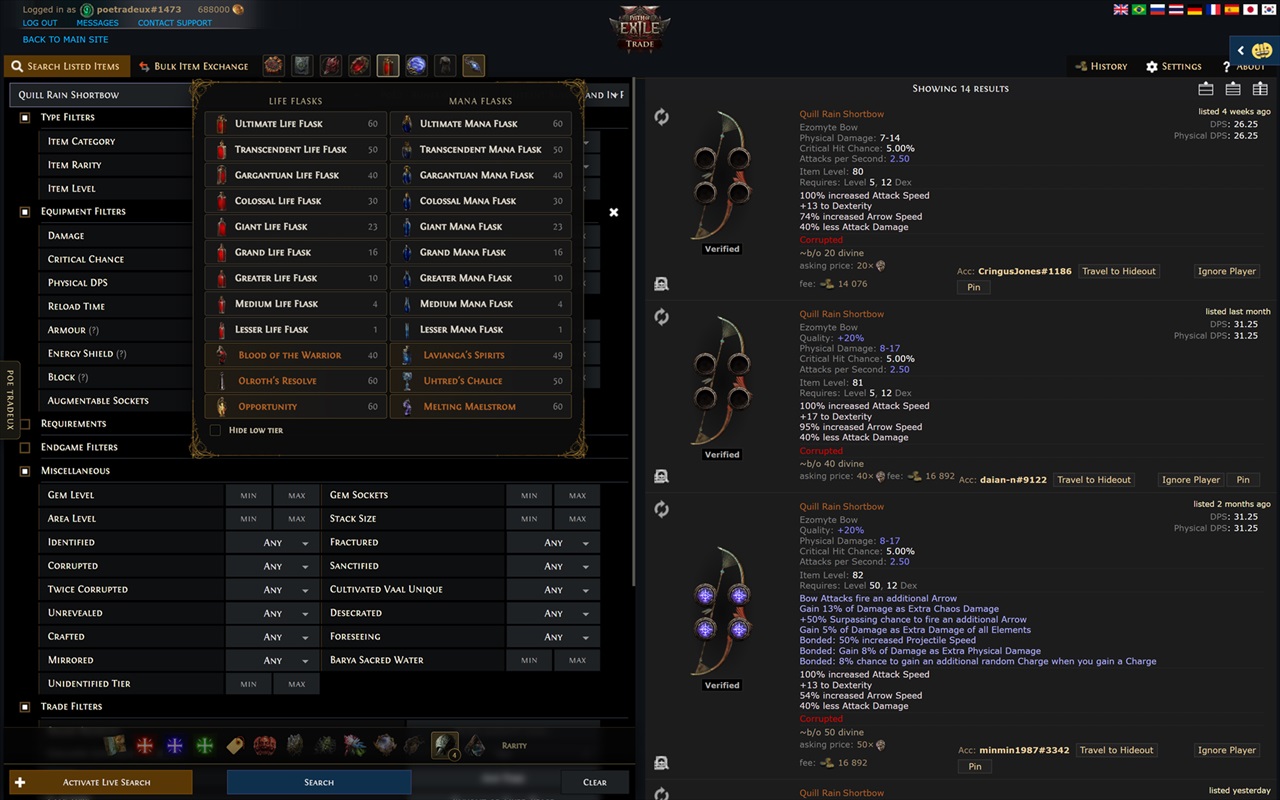
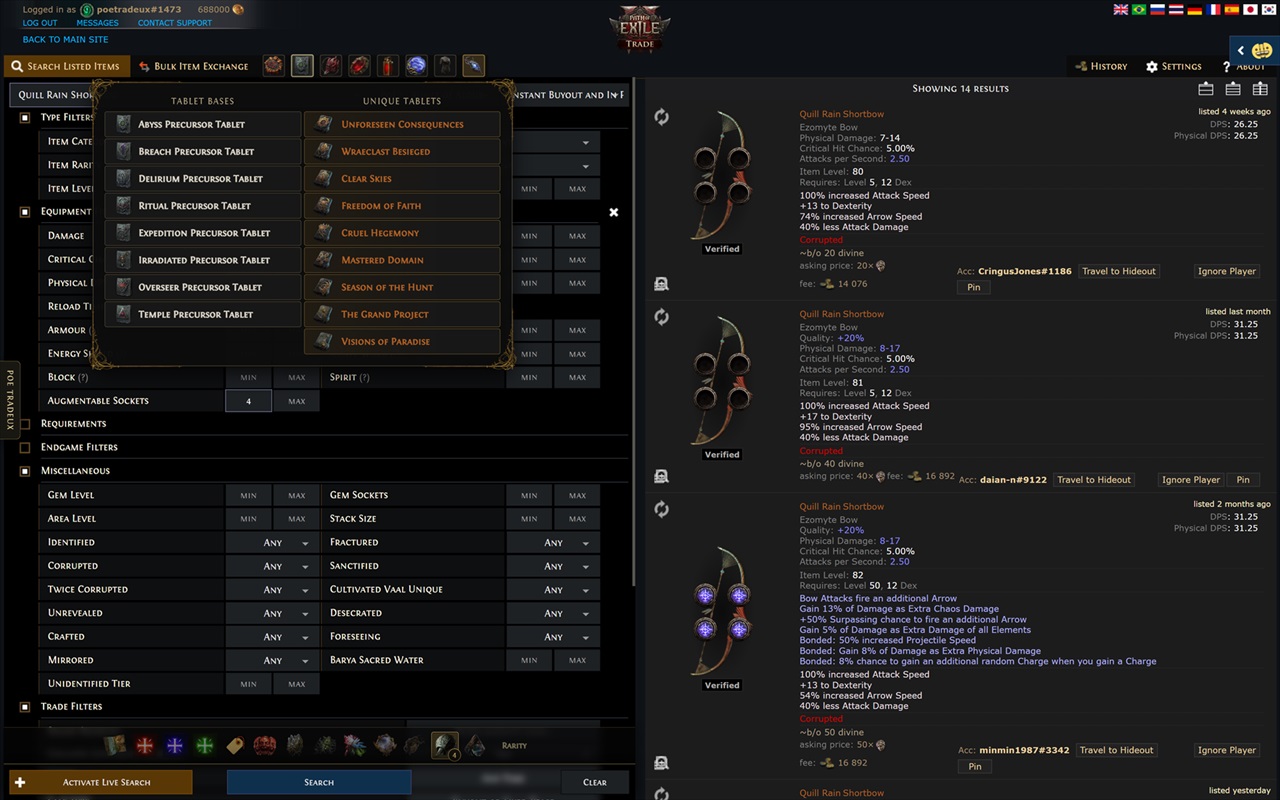
  • Presets for Waystones, Tablets, Charms, Flasks, Gems, Gear, and Jewels.
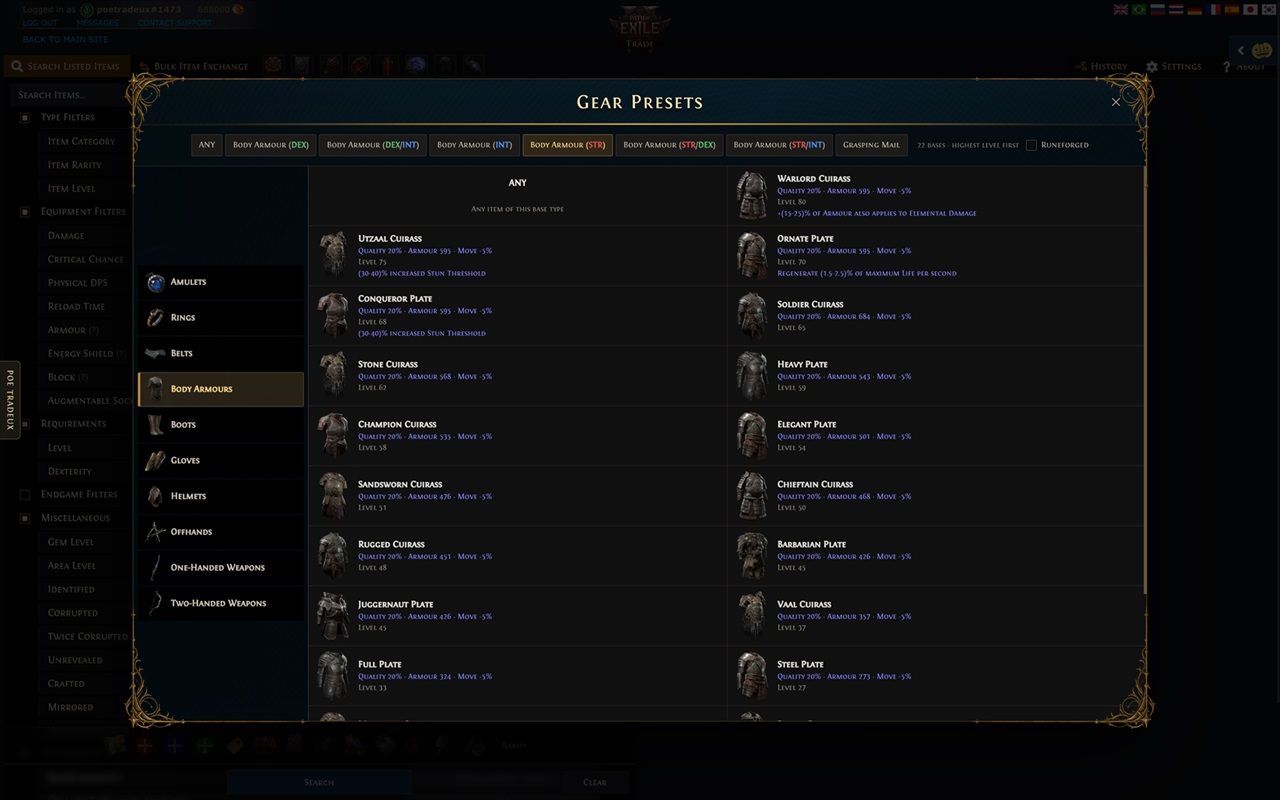
  • Gear browser organized by equipment slot and base type.
  • Skill Gem browser with search, tags, attributes, sorting, and favorites.
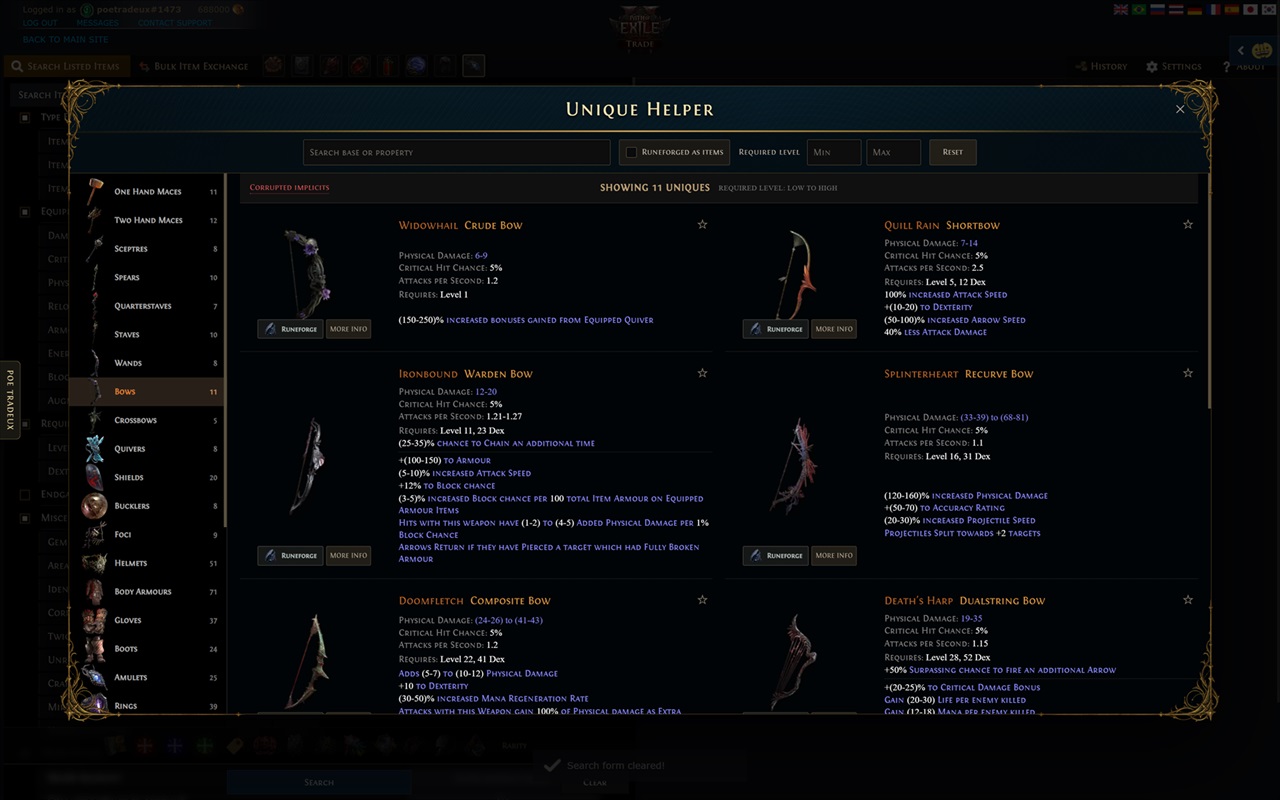
  • Unique Helper with type navigation, level filters, favorites, and Runeforged variants.

Stat tools

  • Favorite frequently used stat filters.
  • Cleaner grouping and ordering of stat options for active presets.
  • Native autocomplete handoff instead of a replacement search form.
  • Add result modifiers directly to positive or NOT stat groups.

Layout and appearance

  • Optional two-column and full-width layouts.
  • Sticky filters and search controls.
  • Optional background removal and space for Better Trading.
  • Experimental hiding of irrelevant prefixes and suffixes.

See POE TradeUX in action

Explore the extension's item browsers and presets. Select any screenshot to open the full 1280 × 800 image.

Designed for privacy

POE TradeUX does not collect trade-search history, search text, trade-page URLs, credentials, cookies, analytics, advertising IDs, or personal information. Item artwork is bundled with the extension.

Chrome local storage is used only for interface preferences and favorite stat, gem, and unique-item identifiers. Read the complete Privacy Policy.

How it works

  1. Install POE TradeUX in a Chromium-based browser.
  2. Open an official Path of Exile 2 trade-search page.
  3. Use the TradeUX control to choose layout options and open presets.
  4. Continue searching through the official trade form as usual.

This product isn't affiliated with or endorsed by Grinding Gear Games in any way. Path of Exile and related game materials are the property of their respective owners.